TL;DR:
- Effective office lighting requires layered illumination, glare control, and energy-efficient LED fixtures with smart controls to enhance productivity and reduce costs. Properly designed systems with appropriate lux, UGR, color temperature, and zoning considerations minimize eye strain and fatigue while maximizing energy savings. Coordinating fixture types, layout, and automation early in the process ensures optimal performance and avoids costly retrofits.
Effective lighting options for offices are defined by three non-negotiable qualities: layered illumination, glare control, and energy efficiency. Get any one of these wrong and you pay for it in eye strain, higher utility bills, and employees who quietly underperform because they are uncomfortable. The good news is that modern LED technology, paired with smart controls and a disciplined design approach, makes it possible to build a workplace lighting system that serves every zone in your office without breaking your renovation budget. This guide covers the exact metrics, fixture types, and implementation strategies you need to make confident decisions.
What are the ideal lighting levels and glare standards for offices?
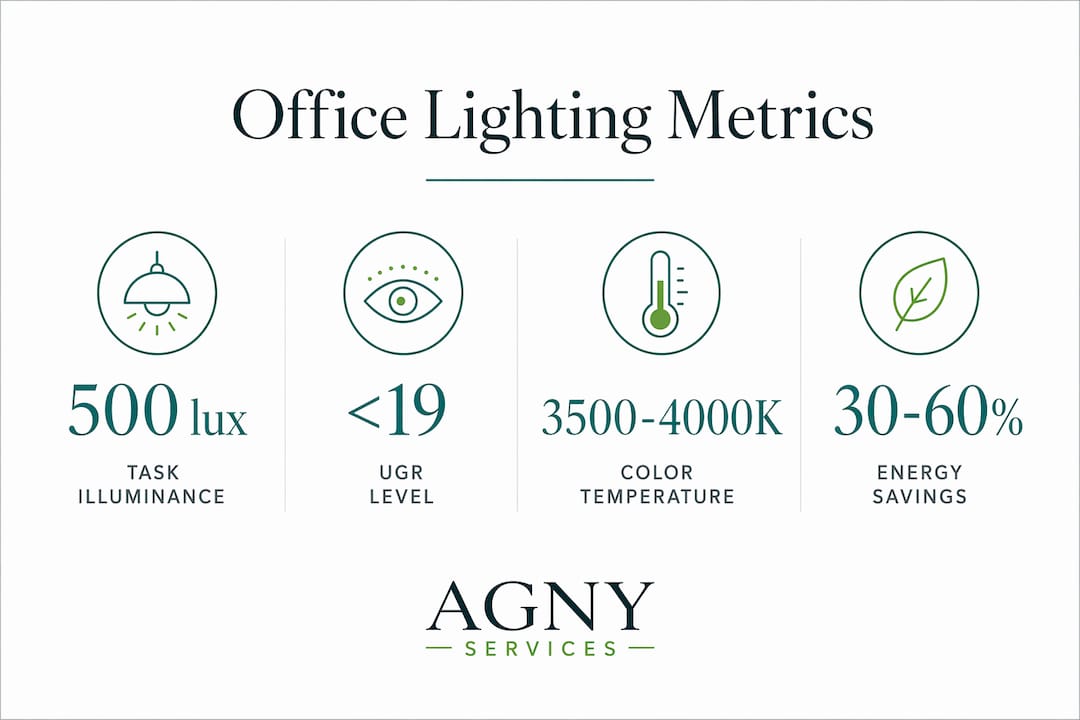
Desk illuminance around 500 lux is the recognized target for task areas like reading stations and computer workstations. That number comes from professional office lighting design standards and reflects the minimum brightness needed for sustained focus without fatigue. Going significantly above 500 lux without controlling contrast creates its own problems, so even distribution matters as much as the raw number.
Glare is the metric most office managers overlook, and it causes more discomfort than low brightness does. The Unified Glare Rating (UGR) measures how much a fixture’s brightness disturbs the visual field. For monitor-heavy workstations, the target is UGR ≤ 19. Fixtures rated above that threshold create reflections on screens and force employees to squint or reposition, which adds up to real fatigue over an eight-hour shift.
Color temperature around 4000K is the sweet spot for most office areas. Neutral white light in the 3500K to 4000K range supports alertness and color accuracy without the harshness of cool blue-white (5000K and above). Reserve warmer tones (2700K to 3000K) for break rooms and lounge areas where relaxation is the goal.
| Metric | Recommended value | Why it matters |
|---|---|---|
| Task illuminance | ~500 lux | Supports reading and screen work without fatigue |
| Unified Glare Rating | ≤ 19 | Prevents screen reflections and eye strain |
| Color temperature | 3500K to 4000K | Neutral white promotes alertness and color accuracy |
| Light uniformity ratio | ≥ 0.6 | Reduces harsh contrast between bright and dark zones |
Pro Tip: Vertical illuminance on walls and partitions improves the perceived brightness of a space without raising glare. If your office feels dim despite adequate lux readings at the desk, add wall-wash fixtures before increasing overhead output.
How does layered lighting improve office comfort and productivity?
Layered lighting combines ambient, task, and accent sources into a single coordinated system. Each layer serves a distinct function, and removing any one of them forces the remaining layers to overcompensate, which is where glare and shadows come from.
The three layers work like this:
- Ambient lighting provides the base level of illumination across the entire space. Recessed LED panels and suspended linear fixtures are the standard tools here. Ambient light should be even and diffuse, not spotlight-style.
- Task lighting targets specific work surfaces. Desk lamps with adjustable arms, under-cabinet strips in workstations, and directional track heads over drafting tables all qualify. Task lighting lets individuals control their own brightness without affecting colleagues nearby.
- Accent lighting handles aesthetics and wayfinding. Backlit panels behind reception desks, LED strips along shelving, and directional spots on artwork or brand walls fall into this category. Accent lighting is not decorative fluff. It reduces the perceived contrast between bright work areas and dark surroundings, which directly lowers eye strain.
Indirect lighting is one of the most underused tools in office design. Fixtures that bounce light off ceilings and walls produce a soft, shadow-free environment that reduces the harsh direct glare common in offices with only recessed downlights. The result is a space that feels brighter and more comfortable even at the same lux level.
Pro Tip: Combine upward-facing pendant fixtures with recessed panels rather than relying on recessed panels alone. The upward component illuminates the ceiling plane, which makes the room feel taller and reduces the cave-like contrast that causes afternoon fatigue.
What are the best fixture types and technologies for modern offices?
LED lighting delivers up to 80% energy savings compared to fluorescent systems, with consistent color output and full dimmability. That combination makes LED the only rational choice for a new office build or retrofit in 2026. The question is which LED fixture format fits your specific application.
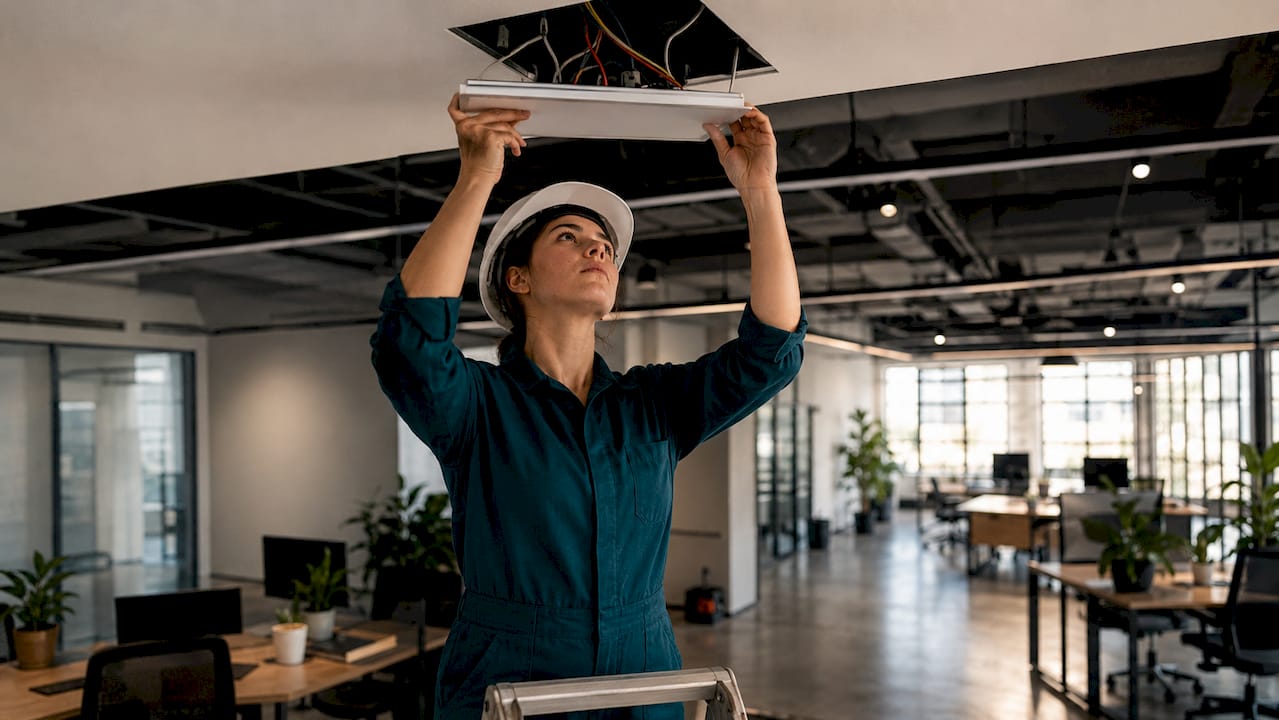
Here is a practical comparison of the most common office fixture types:
| Fixture type | Best application | Key advantage |
|---|---|---|
| Recessed LED panel (2×2 or 2×4) | Open-plan offices with T-grid ceilings | Clean appearance, easy T-grid integration |
| Suspended linear LED | Collaborative zones, conference rooms | Adds visual interest, reduces ceiling glare |
| Surface-mounted linear LED | Spaces without drop ceilings | Versatile, no ceiling modification needed |
| Adjustable desk lamp | Individual workstations | Personal control, reduces ambient dependency |
| Track lighting | Reception areas, accent zones | Directional flexibility, easy repositioning |
Controls-ready LED fixtures compatible with motion sensors and daylight harvesting systems allow integration without rewiring existing circuits. This is a critical spec to confirm before purchasing fixtures for any office with a building automation system. Fixtures that lack 0-10V dimming leads or DALI compatibility will require replacement rather than upgrade when you add smart controls later.
The practical implication for office managers is straightforward. Specify controls-ready fixtures from the start, even if you are not installing sensors on day one. The incremental cost is minimal and the future flexibility is significant. Agny’s team routinely flags this specification gap during pre-construction reviews, saving clients from expensive mid-project substitutions.
How can automation and daylight harvesting optimize office lighting?
Daylight harvesting is the practice of automatically dimming electric lights when natural light from windows provides sufficient illumination. It is one of the highest-return investments in office lighting because it reduces energy consumption during the hours when the building is most occupied.
Here is how to implement a functional daylight harvesting system:
- Install photosensors near windows. Ceiling-mounted photosensors measure ambient light levels and send signals to the lighting control system to dim or brighten fixtures in response.
- Zone fixtures by distance from windows. Perimeter zones within 10 to 15 feet of windows dim independently from interior zones. This prevents the common mistake of dimming the entire floor when only the window row has adequate daylight.
- Add automated shading. Automated shading paired with daylight sensors prevents disruptive glare from direct sun while still allowing diffuse daylight to contribute to illumination. Manual blinds left closed all day eliminate the benefit entirely.
- Integrate occupancy sensors. Motion-based controls turn off or dim lights in unoccupied conference rooms and private offices. Combined with daylight harvesting, this is where the largest savings accumulate.
- Commission the system after installation. Sensors require calibration to local conditions. An uncalibrated system either over-dims (creating complaints) or under-dims (wasting energy).
Energy savings of 30 to 60% are achievable through automated controls combined with daylight harvesting. For a mid-size office running 250 days per year, that reduction translates directly to operating cost savings that offset the control system investment within two to four years.
Pro Tip: Choose a lighting control platform with a simple, intuitive interface for occupants. Practical control systems that employees cannot figure out get overridden manually, which eliminates the efficiency gains entirely. Lutron and Acuity Brands both offer systems with straightforward wall interfaces designed for non-technical users.
What practical steps help when selecting and implementing office lighting?
Optimal office lighting treats fixture type, aiming, controls, and layout as a coordinated system rather than a collection of individual decisions. The most common mistake office managers make is selecting fixtures in isolation without mapping them to workspace zones first.
Follow these implementation principles:
- Map your zones before specifying fixtures. Open-plan workstations, private offices, conference rooms, corridors, and break rooms each have different illuminance and glare requirements. A single fixture spec across all zones is almost always a compromise that serves none of them well.
- Align fixture layout with ceiling type. LED panels fitting suspended T-grid ceilings simplify installation and maintenance significantly. If your office has a concrete or drywall ceiling, surface-mounted or suspended fixtures are the practical alternative.
- Control fixture aiming in open-plan areas. Downlights aimed directly at monitor positions create screen glare even when the UGR rating of the fixture is acceptable in isolation. Offset fixtures slightly from workstation centers or use wide-distribution optics.
- Plan for maintenance access. Fixtures installed above fixed millwork or in hard-to-reach ceiling coffers become a maintenance liability. Specify LED sources with rated lifespans above 50,000 hours and confirm that lamp replacement (where applicable) does not require specialized tools.
- Coordinate with your electrical contractor early. Lighting control procurement often precedes fixture selection in modern office projects. Confirm circuit capacity, dimming compatibility, and conduit routing before finalizing the fixture schedule. Agny’s electrical upgrade planning process integrates these decisions from the first design meeting.
Key takeaways
Effective office lighting requires layered illumination, UGR-controlled fixtures, and LED technology with smart controls to deliver both productivity gains and measurable energy savings.
| Point | Details |
|---|---|
| Target 500 lux at task areas | Even, glare-controlled illumination at desk level supports focus and reduces fatigue. |
| Keep UGR at or below 19 | Fixtures exceeding this threshold create screen glare that compounds over a full workday. |
| Use three lighting layers | Ambient, task, and accent lighting together eliminate harsh shadows and give individuals control. |
| Specify controls-ready LED fixtures | 0-10V or DALI-compatible fixtures allow sensor integration without future rewiring costs. |
| Automate for 30 to 60% savings | Daylight harvesting combined with occupancy sensors delivers the highest return on lighting investment. |
Why lighting deserves the same attention as your floor plan
Most office managers I work with treat lighting as the last line item in a renovation budget. It gets cut first and specified last. That approach consistently produces offices where employees complain about headaches, where the conference room feels like a cave, and where the energy bill stays stubbornly high despite new HVAC upgrades.
What I have seen work, across dozens of commercial projects in New York, is treating lighting as infrastructure rather than decoration. The offices that perform best are the ones where the lighting design started at the same time as the floor plan. Zones were mapped, fixture types were matched to tasks, and controls were specified before anyone picked a ceiling tile.
The energy efficiency argument is real but it is not the most compelling one. The most compelling argument is that your employees spend eight or more hours a day under your lighting. Glare, flicker, and poor color rendering accumulate into fatigue that shows up as reduced output and higher turnover. A well-designed layered system with proper UGR control and tunable color temperature is one of the few physical investments that pays back in both utility savings and human performance.
My honest recommendation: do not treat lighting as a product purchase. Treat it as a system design problem and bring in your electrical contractor and a lighting designer before you commit to a fixture catalog. The coordination cost is small. The cost of getting it wrong and retrofitting later is not.
— Grzegorz
Let Agny handle your office lighting from design to installation
Agny brings general contracting, electrical expertise, and renovation experience together on a single project team, which means your office lighting design does not get lost in translation between trades. From specifying controls-ready LED panels to coordinating daylight harvesting systems with your building’s electrical infrastructure, Agny manages every step. Whether you are retrofitting an existing office or building out a new commercial space, the team at Agny integrates lighting and electrical planning from day one so you avoid the costly mid-project changes that come from siloed decision-making. See how Agny’s renovation services translate to commercial spaces that perform as well as they look.
FAQ
What lux level is recommended for office workstations?
The standard target is approximately 500 lux at the desk surface for tasks like reading and computer work. Even distribution across the workspace matters as much as the peak lux value.
What does UGR mean for office lighting?
UGR stands for Unified Glare Rating and measures how much a fixture’s brightness disturbs vision. A UGR of 19 or below is the accepted threshold for screen-based office environments.
What color temperature works best in offices?
Neutral white light between 3500K and 4000K is the preferred range for most office areas. It supports alertness and color accuracy without the harshness of very cool or blue-tinted sources.
How much energy can smart lighting controls save?
Automated controls combining daylight harvesting and occupancy sensors can reduce lighting energy consumption by 30 to 60%, with the largest gains in perimeter zones near windows.
Should I choose LED panels or linear LED fixtures for my office?
Recessed LED panels are the practical choice for open-plan offices with T-grid suspended ceilings. Suspended linear LED fixtures work better in conference rooms and collaborative zones where visual interest and reduced ceiling glare are priorities.