TL;DR:
- Smart home technology involves devices and systems that enable remote control and automation of household functions. Adoption has surged to 63% among US broadband households by 2026, making smart homes mainstream. Building a connected home is accessible with ecosystems like Amazon Alexa, Google Home, and Apple HomeKit, which optimize energy use, security, and convenience.
Smart home technology basics refer to the devices, protocols, and systems that let you automate and control your home’s functions remotely or on a schedule. Smart home adoption has reached 63% of all US broadband households as of 2026. That number tells you this is no longer a niche hobby. Ecosystems like Amazon Alexa, Google Home, and Apple HomeKit have made it possible for any homeowner to build a connected home without an engineering degree. The payoff is real: lower energy bills, better security, and a home that responds to your life instead of the other way around.
What are the essential components of smart home technology?
Home automation essentials break down into four layers: smart devices, connectivity protocols, a control hub, and an app or voice interface. Understanding each layer helps you buy the right gear and avoid expensive mistakes.
Smart devices
Smart devices are the physical hardware you install. Common examples include smart bulbs like Philips Hue, smart thermostats like Ecobee or Google Nest, smart locks like Schlage Encode, video doorbells like Ring, and smart plugs from brands like Kasa or TP-Link. Each device connects to your network and responds to commands from an app or automation rule.
Connectivity protocols
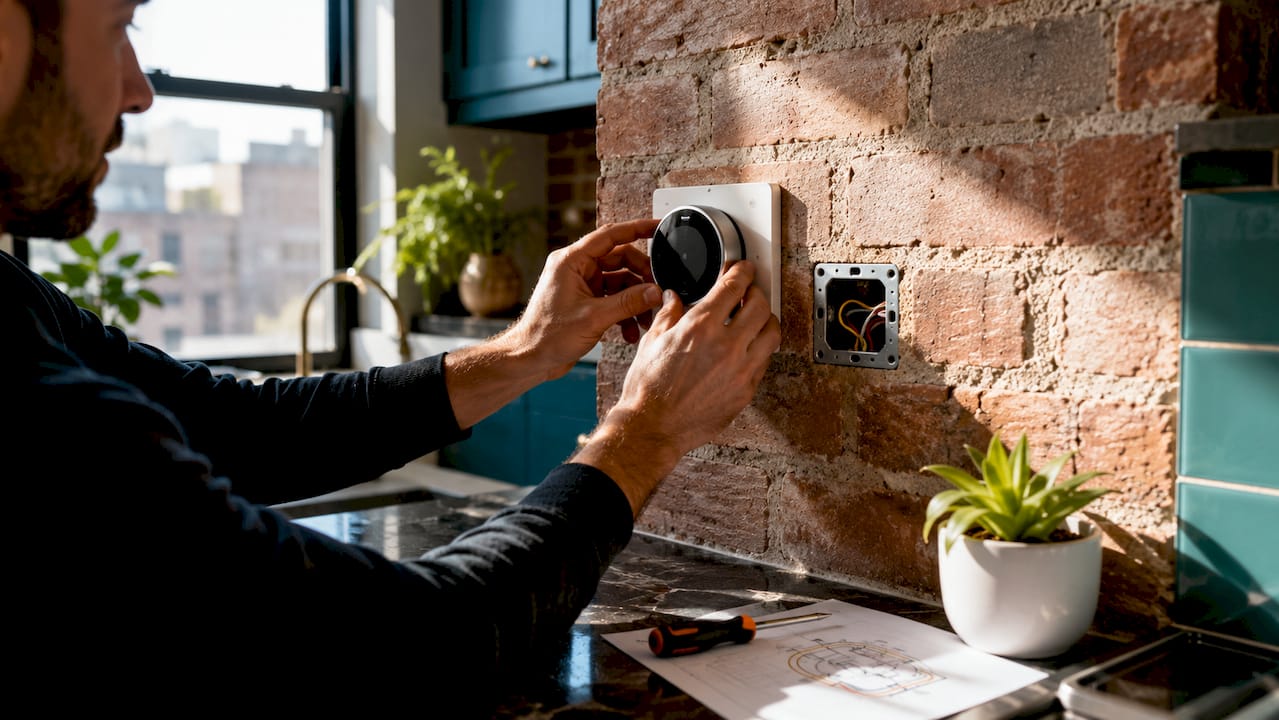
Protocols are the languages your devices use to communicate. Wi-Fi is the most common and works without a hub, but it strains your router when you have many devices. Zigbee and Z-Wave use low-power mesh networks, meaning each device strengthens the signal for others. The Matter standard, launched by the Connectivity Standards Alliance, is now supported by Apple, Google, and Amazon, and it allows devices from different brands to work together without friction.
Bluetooth-only smart devices are less reliable for remote control compared to Z-Wave or Zigbee devices, which require a hub but deliver better range and stability. For anything you rely on daily, like a lock or thermostat, skip Bluetooth.
Ecosystem and hub
A hub is the brain that coordinates your devices. Amazon Echo, Google Nest Hub, and Apple HomePod each serve as both a voice interface and a coordination layer. Choosing one ecosystem and staying with it reduces complexity for beginners more than any other single decision.
| Ecosystem | Best For | Hub Device | Works With Matter |
|---|---|---|---|
| Amazon Alexa | Widest device compatibility | Echo Dot, Echo Show | Yes |
| Google Home | Android users, Google services | Nest Hub, Nest Mini | Yes |
| Apple HomeKit | iPhone users, strong privacy | HomePod, HomePod Mini | Yes |
| Home Assistant | Advanced local control | Raspberry Pi or NUC | Yes |
Pro Tip: Pick one ecosystem before you buy a single device. Mixing Alexa and HomeKit from day one creates app confusion and limits automation options.
How do you start setting up your smart home?
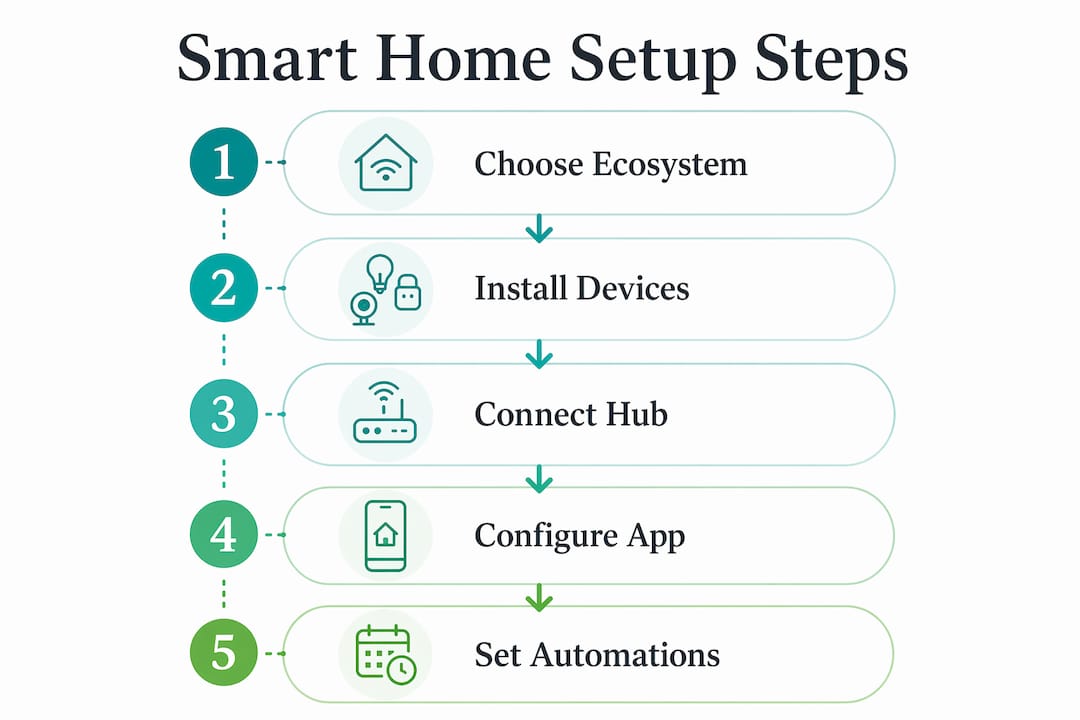
A practical smart home setup starts with two things: a stable Wi-Fi network and one high-value device. Trying to automate everything at once leads to frustration. Build in layers.
- Audit your Wi-Fi. A router that struggles with streaming will struggle more with 20 connected devices. Consider a mesh system like Eero or Google Nest WiFi if your coverage has dead zones.
- Choose your ecosystem. Install the Amazon Alexa, Google Home, or Apple Home app on your phone before buying hardware.
- Start with a smart thermostat. Devices like Ecobee SmartThermostat or Google Nest Learning Thermostat are high-impact, easy to install, and save 10–20% on annual energy bills with a payback period of 12–24 months.
- Add smart plugs next. Plug in a Kasa EP25 or similar device, assign it to a lamp or coffee maker, and practice creating schedules in your ecosystem app.
- Set up automation rules. This is where the real value lives. Automation provides the real value in smart homes, not just remote control by voice or phone. A rule that turns off all lights when you leave, or adjusts the thermostat at bedtime, saves time and energy without you lifting a finger.
- Create a separate IoT network. Most modern routers support a guest network. Put all smart devices on it to isolate them from your computers and phones.
Basic smart home setup for a single room takes about 2–4 hours to configure devices and automation routines. That is a realistic expectation for a first session.
Pro Tip: Name your devices clearly in the app from the start. “Living Room Lamp” is far easier to manage in automation rules than “Smart Bulb 1.”
Which smart home devices offer the best value for beginners?
Not all smart home devices deliver equal returns. Prioritize devices that save money or solve a real daily problem before buying novelty gadgets.
Smart Thermostats are the highest-ROI purchase in home automation. Ecobee and Google Nest both learn your schedule and adjust automatically. The energy savings are measurable within the first billing cycle.
Smart Plugs are the easiest entry point. A $15–$25 plug from Kasa or Amazon Basics turns any lamp or appliance into a smart device. Use them to monitor energy draw and cut phantom loads from devices left on standby.
Smart Lighting adds convenience more than financial savings. Philips Hue and LIFX bulbs let you set scenes, schedules, and color temperatures. They work best as a complement to thermostats and plugs, not a replacement.
Smart Locks and Video Doorbells address security directly. Schlage Encode and Yale Assure locks eliminate the need for physical keys and log entry history. Ring and Nest Doorbell let you see and speak to visitors from anywhere.
| Device | Typical Cost | Setup Complexity | Primary Benefit |
|---|---|---|---|
| Smart Thermostat (Ecobee, Nest) | $150–$250 | Moderate | 10–20% energy savings |
| Smart Plug (Kasa, TP-Link) | $15–$25 | Low | Energy monitoring, scheduling |
| Smart Bulb (Philips Hue, LIFX) | $15–$50 each | Low | Lighting scenes, schedules |
| Smart Lock (Schlage, Yale) | $150–$300 | Moderate | Keyless entry, access logs |
| Video Doorbell (Ring, Nest) | $100–$250 | Low to moderate | Remote visitor monitoring |
Smart thermostats provide measurable financial savings, while smart plugs monitor energy use. Prioritize these two over lighting if your goal is a financial return.
Pro Tip: Check compatibility with your chosen ecosystem before purchasing any device. Most product pages list Alexa, Google Home, and HomeKit support explicitly.
What common pitfalls should beginners avoid?
Building a smart home is straightforward when you avoid the mistakes that trip up most first-timers. These are the ones worth knowing before you spend a dollar.
- Mixing ecosystems. Buying an Alexa-only device and a HomeKit-only device means two separate apps, two separate automation systems, and double the troubleshooting. The Matter protocol reduces this problem, but not all older devices support it yet.
- Ignoring default passwords. Many smart devices use default passwords and lack strong security out of the box. Change every default password immediately after setup and put all IoT devices on a dedicated guest network.
- Buying cheap, unknown brands. A $5 smart plug from an unverified brand may collect usage data, lack firmware updates, or stop working when the company shuts down its cloud servers. Stick with established brands that have a track record of security patches.
- Underestimating cloud dependency. Cloud-dependent systems like Alexa or Google Home stop working during internet outages. If reliability is critical, look into local control platforms like Home Assistant, which runs on your home network without requiring an internet connection. The trade-off is a steeper technical setup.
- Skipping network segmentation. Your smart refrigerator does not need access to your laptop. A separate IoT VLAN or guest Wi-Fi network keeps your primary devices protected if a smart device is ever compromised.
Pro Tip: Before buying any device, search the brand name plus “privacy policy” and “data collection.” You will quickly learn whether the company treats your usage data responsibly.
Thinking about how smart tech fits into a broader home upgrade plan is worth doing early. Wiring decisions made during renovation directly affect which protocols and devices work best in your space.
Key takeaways
Smart home technology delivers the most value when you pick one ecosystem, start with high-ROI devices, and protect your network from day one.
| Point | Details |
|---|---|
| Pick one ecosystem first | Choose Amazon Alexa, Google Home, or Apple HomeKit before buying any device to avoid compatibility conflicts. |
| Start with thermostats and plugs | These two device types offer measurable energy savings and the fastest return on investment for beginners. |
| Separate your IoT network | Place all smart devices on a guest or dedicated network to protect your computers and phones from security risks. |
| Automation beats remote control | Scheduled and presence-based rules deliver more value than manually controlling devices by voice or app. |
| Avoid cloud-only dependency | Understand that Alexa and Google Home require internet access; consider Home Assistant if local reliability matters to you. |
Why most people get smart homes backwards
I have walked through a lot of homes where the owner bought a dozen smart bulbs first because they looked cool in the store. The lights work fine. But the thermostat is still manual, the locks are still physical keys, and there is no automation running at all. The home is “smart” in name only.
The real shift happens when your home starts doing things without you asking. The thermostat drops to 65°F at 10 p.m. because you set that rule once, three months ago. The porch light turns on when your phone arrives home. The coffee maker starts at 6:45 a.m. on weekdays. That is what home automation actually feels like, and it is worth building toward deliberately.
My honest advice: treat your first smart home purchase as a learning device, not a finished product. A single Ecobee thermostat will teach you more about automation logic, app structure, and ecosystem behavior than reading ten guides. Once you understand how one device talks to your hub and triggers rules, every device after that clicks into place faster.
The security piece is not optional. I have seen homeowners skip the guest network setup because it felt like extra work. It takes 10 minutes on most modern routers. That 10 minutes protects every other device in your home. Do it before you connect your first smart plug.
Build slowly, automate deliberately, and do not let the device catalog overwhelm you. The best smart home is the one that actually runs without you thinking about it.
— Grzegorz
Ready to build smart tech into your next renovation?
The best time to integrate smart home technology is during a renovation, not after. Running new wiring, adding dedicated circuits, and planning for smart switches and thermostats is far easier when walls are already open. Agny specializes in kitchen and bathroom renovations across New York City, and the team builds smart-ready spaces from the ground up.

Whether you are planning a full kitchen overhaul or a bathroom update, Agny’s renovation projects are designed to support modern technology from the start. Explore kitchen renovations that add real value and see how smart features fit naturally into a professionally planned space. For electrical planning that supports smart device integration, Agny’s electrical upgrade guidance covers exactly what you need to know before breaking ground.
FAQ
What is smart home technology in simple terms?
Smart home technology is a system of connected devices that you can control remotely or program to run automatically. Common examples include smart thermostats, smart locks, and smart lighting controlled through apps like Amazon Alexa or Google Home.
How much does a basic smart home setup cost?
A starter setup with a smart thermostat, two smart plugs, and a smart bulb typically costs $200–$350. Smart thermostats like Ecobee or Google Nest run $150–$250 on their own but pay back their cost within 12–24 months through energy savings.
Which smart home ecosystem is best for beginners?
Amazon Alexa offers the widest device compatibility and is the most beginner-friendly option. Choosing one ecosystem before buying any hardware is the single most impactful decision a beginner can make.
Do smart home devices work without internet?
Most cloud-based systems like Alexa and Google Home require an active internet connection to function. Local platforms like Home Assistant can run without cloud dependency but require more technical setup.
Is it safe to connect smart devices to my home network?
Smart devices carry real security risks if left on default settings. Change all default passwords immediately and place your devices on a separate IoT network to protect your primary computers and phones.